LXC 102 — IP: 192.168.5.128
This page covers remote access to the homelab from anywhere — over mobile data, from a university network, from behind any NAT. The mechanism is Tailscale, which builds a mesh VPN on top of WireGuard. Every concept is explained from scratch.
The problem: getting home through NAT#
The homelab devices have private IPs (192.168.5.x). Private IPs are not routable on the internet — there’s no way to directly connect to 192.168.5.146 from a laptop on mobile data.
The naive fix — port forwarding — works for specific ports and specific services. But you’d need to forward a port for every service, expose them all to the internet, and manage credentials for each. That’s not remote access to the infrastructure — that’s individual service exposure.
What’s needed: a way to make the homelab appear as if it’s on the same local network as the remote device, regardless of where that device is. That’s a VPN.
WireGuard: how a VPN tunnel actually works#
Tailscale is built on WireGuard, so understanding WireGuard first makes Tailscale much clearer.
A VPN creates an encrypted tunnel between two devices. All traffic through the tunnel looks like normal traffic to anyone observing the network — they see encrypted packets between two endpoints, nothing more.
How WireGuard does this:
Every WireGuard peer has a key pair — a private key that never leaves the device, and a public key that you share openly. The private key signs outgoing packets. The public key lets others verify those signatures. When two peers exchange public keys and configure each other, they can establish a direct encrypted tunnel.
# Server config (running at home)
[Interface]
Address = 10.0.0.1/24       # VPN address for this peer
ListenPort = 51820
PrivateKey = <server-private-key>

[Peer]
PublicKey = <laptop-public-key>
AllowedIPs = 10.0.0.2/32    # traffic from this IP is from this peer
# Client config (laptop, anywhere)
[Interface]
Address = 10.0.0.2/24
PrivateKey = <laptop-private-key>
[Peer]
PublicKey = <server-public-key>
Endpoint = 82.4.94.229:51820 # home public IP
AllowedIPs = 192.168.5.0/24 # route home network traffic through tunnelThe AllowedIPs on the client says: “any packet destined for 192.168.5.x should be encrypted and sent through the tunnel to this peer.” The home server decrypts it and forwards it on the LAN as a normal packet.
The manual WireGuard problem: you have to manually exchange public keys with every device. Every new device means updating configs everywhere. For a personal network with many devices this becomes unmanageable fast.
Tailscale: WireGuard without the key management#
Tailscale handles the key exchange automatically. Each device installs the Tailscale client, authenticates once (via Google/GitHub/email), and gets a stable 100.x.x.x IP from the RFC 6598 CGNAT range — reserved for exactly this kind of use.
Behind the scenes, Tailscale runs a coordination server. It doesn’t relay traffic — it just introduces devices. When two Tailscale devices want to communicate:
- Both connect to the coordination server and share their current external IP/port
- The coordinator shares this info between the two devices
- The devices try to establish a direct WireGuard tunnel using NAT traversal
NAT traversal works by having both devices send packets to each other simultaneously. Most home NAT routers, when they see an outgoing packet, create a temporary “hole” in the NAT table for replies. If both devices open holes at the same time, packets from each side arrive before the holes close — a direct tunnel forms without any port forwarding.
This works through double NAT (Virgin Media hub → Linksys → LXC), carrier-grade NAT, university firewalls, and most corporate firewalls. If a direct tunnel can’t form, Tailscale falls back to relaying through its DERP servers — but direct tunnels form in the vast majority of cases.
Subnet routing: one device, entire LAN#
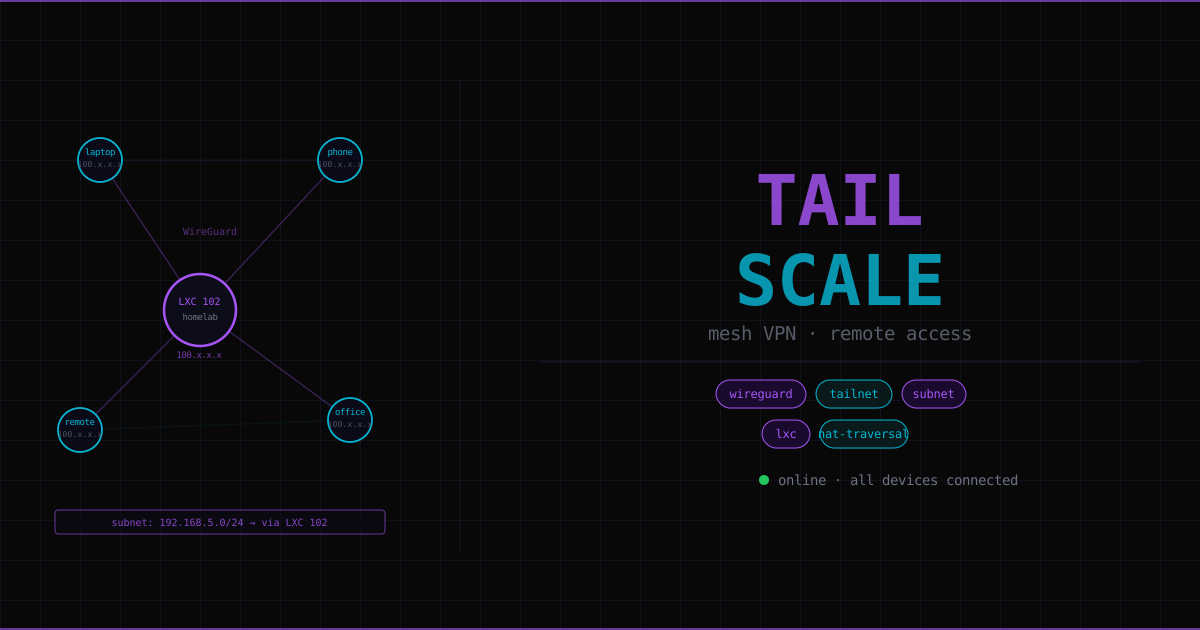
Installing Tailscale on every homelab device isn’t practical — TrueNAS, every LXC, the Proxmox host itself. Instead, one device acts as a subnet router: it advertises the entire 192.168.5.0/24 subnet to the tailnet.
LXC 102 is configured to tell Tailscale: “I can reach everything on 192.168.5.0/24. Route traffic for that subnet through me.”
Result: any Tailscale device anywhere can reach 192.168.5.146 (Proxmox), 192.168.5.142 (TrueNAS), 192.168.5.134 (Nextcloud), etc. — at their normal LAN IPs, without Tailscale installed on any of them.
The reply traffic problem#
There’s a subtle networking issue that breaks subnet routing until you fix it.
When a Tailscale client (e.g. a laptop at 100.64.x.x) reaches 192.168.5.142 (TrueNAS), the packet flows correctly:
Laptop → Tailscale tunnel → LXC 102 → 192.168.5.0/24 → TrueNASBut TrueNAS’s reply goes to its gateway — the Linksys router at 192.168.5.1. The Linksys receives a packet destined for 100.64.x.x and has no idea where that is. It drops it.
Fix: add a static route to the Linksys:
- Destination:
100.64.0.0, Subnet mask:255.255.0.0 - Gateway:
192.168.5.128(the Tailscale LXC)
Now every LAN device knows: “traffic destined for any 100.x.x.x address goes to the Tailscale LXC, which handles it.”
Why a dedicated LXC (not Docker, not the Proxmox host)#
Not on Proxmox host: The hypervisor must stay stable. A Tailscale misconfiguration or failed update breaking networking could take down every VM and LXC simultaneously. That’s a hard lock-out.
Not Docker: Tailscale needs to create TUN virtual network interfaces and manipulate kernel routing tables. Docker is designed for application isolation, the opposite of network control. Getting Docker to do subnet routing requires punching holes through the isolation that makes Docker useful in the first place.
LXC chosen: ~50MB RAM overhead, full Linux environment, kernel capabilities can be granted selectively, completely isolated from other services. If Tailscale breaks, pct stop 102 from the Proxmox console fixes it.
Setup#
1. Create the LXC#
Use the Proxmox community script (Ubuntu-based, pre-installs Tailscale):
# Run on Proxmox host
bash -c "$(curl -fsSL https://raw.githubusercontent.com/community-scripts/ProxmoxVE/main/ct/tailscale.sh)"
2. Enable TUN device access#
Unprivileged LXCs don’t have access to /dev/net/tun (the virtual network interface WireGuard needs) by default. Add to /etc/pve/lxc/102.conf on the Proxmox host:
lxc.cgroup2.devices.allow = c 10:200 rwm
lxc.mount.entry = /dev/net/tun dev/net/tun none bind,create=file
The c 10:200 is the character device major:minor for /dev/net/tun. rwm = read, write, mknod.
Restart the LXC after editing: pct stop 102 && pct start 102
3. Enable IP forwarding inside the LXC#
# Inside LXC 102
echo 'net.ipv4.ip_forward = 1' | tee -a /etc/sysctl.conf
sysctl -p
Without IP forwarding, the kernel silently drops packets that arrive on one network interface destined for a different network. Subnet routing requires forwarding packets from the WireGuard tunnel to eth0 and vice versa.
4. Connect to Tailscale and advertise the subnet#
tailscale up --advertise-routes=192.168.5.0/24 --accept-routesThis prints an auth URL. Open it in a browser, authenticate, and the LXC joins the tailnet.
5. Approve the subnet route#
In the Tailscale admin panel (login.tailscale.com/admin), find LXC 102 and approve the advertised subnet route. Tailscale doesn’t auto-approve subnet routes — this is a deliberate security gate.
6. Fix UDP GRO (WireGuard performance)#
Generic Receive Offload (GRO) batches UDP packets before handing them to the kernel. This improves performance for most UDP traffic but interferes with WireGuard’s packet processing:
apt install ethtool -y
ethtool -K eth0 rx-udp-gro-forwarding on rx-gro-list off
Persist via a systemd service so it survives reboots — see Tailscale’s Linux docs for the service file.
7. Static route on the Linksys#
In the Linksys router admin UI under Advanced Routing:
- Destination IP:
100.64.0.0 - Subnet mask:
255.255.0.0 - Gateway:
192.168.5.128
Security boundary#
Tailscale creates a clear security perimeter. Two categories of services:
Tailscale-only (never public):
- Proxmox web UI (
192.168.5.146:8006) - TrueNAS web UI (
192.168.5.142) - NPM admin panel (
192.168.5.109:81) - All planned AI pipeline services (n8n, Chroma, Claude Code, Obsidian MCP)
Public via NPM (Cloudflare → NPM → service):
nextcloud.imadinc.com- Future:
plex.imadinc.com
Anything not exposed via NPM is invisible from the internet. The only public entry points are port 80 and 443, both going to NPM. Everything sensitive requires a Tailscale connection — authenticated, encrypted, zero-trust.
This is the homelab equivalent of Zero Trust Network Access (ZTNA) — the same model used by Cloudflare Access, Zscaler, and similar enterprise products.
Troubleshooting#
# Check IP forwarding
cat /proc/sys/net/ipv4/ip_forward   # must return 1

# Check TUN device exists inside LXC
ls /dev/net/tun

# Check Tailscale service
systemctl status tailscaled

# Check subnet is being advertised
tailscale status

# Check UDP GRO state
ethtool -k eth0 | grep -E "gro|rx-udp"
Tailscale connects but can’t reach LAN devices: check subnet route is approved in admin panel, check IP forwarding is on, check static route on Linksys.
LAN devices can reply sometimes but not consistently: static route missing or pointing at wrong gateway.
TUN device not found: LXC config lines weren’t applied, or LXC wasn’t restarted after adding them.