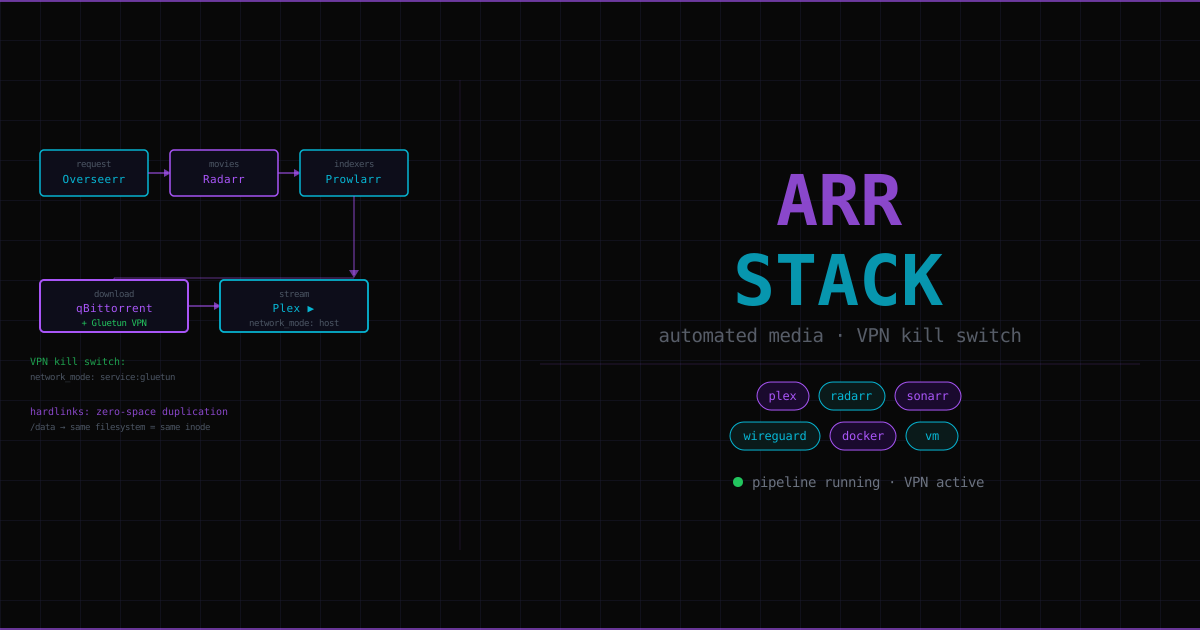
VM 101 — IP: 192.168.5.127
The arr stack is a suite of open-source tools that, together, make downloading and organising media completely automatic. You add a film to your watchlist, and it appears in Plex — formatted, renamed, subtitled — without touching anything. This page explains every component, why it runs in a VM instead of an LXC, and the two key concepts (VPN kill switch and hardlinks) that make the whole system work correctly.
Why a VM instead of an LXC#
Every other homelab service runs in an LXC container. The media server runs in a VM. The reason: Docker.
Docker is an application container runtime. Running Docker inside an LXC creates a nested container situation (LXC container → Docker daemon → Docker containers) that causes complications with networking namespaces, cgroup hierarchies, and storage drivers. It works, but it’s fragile.
A VM provides a clean, isolated Ubuntu Server installation with its own kernel, dedicated to running Docker. The Docker daemon has full control of its environment. If the media server VM breaks, qm destroy 101 from Proxmox and rebuild — no impact on other services.
VM spec: 4 vCPUs, 8GB RAM, 50GB local disk (OS only). Media files live on TrueNAS via NFS (MediaPool dataset).
The pipeline#
You add something to Plex Watchlist
    ↓
Overseerr sees the watchlist request
    ↓
Radarr (movies) or Sonarr (TV) picks it up
    ↓
Prowlarr searches configured torrent indexers
    ↓
Best release selected based on quality profile
    ↓
qBittorrent downloads it, through Gluetun VPN tunnel
    ↓
Download completes → Radarr renames + hardlinks to media library
    ↓
Radarr notifies Plex → Plex scans → appears in library
Everything is API-driven. Radarr doesn’t click buttons in qBittorrent — it sends API calls. You wire the services together once during setup. After that, it’s automatic.
Every service#
| Service | Port | Job |
|---|---|---|
| Plex | 32400 | Media server — the Netflix-like streaming interface |
| Radarr | 7878 | Movie manager — finds, downloads, renames, upgrades movies |
| Sonarr | 8989 | TV manager — same as Radarr for seasons/episodes |
| Prowlarr | 9696 | Indexer manager — searches torrent sites, syncs to arr apps |
| qBittorrent | 8080 | Download client — torrent peer connections, file transfers |
| Gluetun | — | VPN gateway — WireGuard tunnel, all qBT traffic goes through it |
| Bazarr | 6767 | Subtitle fetcher — OpenSubtitles, auto-synced to downloaded media |
| Overseerr | 5055 | Request portal — search and request, Plex Watchlist integration |
| Lidarr | 8686 | Music manager — same pattern as Radarr for music |
| FlareSolverr | 8191 | Cloudflare bypass — lets Prowlarr access CF-protected indexers |
VPN kill switch#
When you join a torrent swarm, your IP address is visible to every peer — including copyright monitoring agencies that seed popular torrents specifically to harvest IPs. Your ISP can also see you’re torrenting. The VPN ensures peers and your ISP see the VPN provider’s IP, not yours.
The kill switch mechanism:
In Docker Compose, each service has its own network namespace by default. qBittorrent is configured differently:
qbittorrent:
  network_mode: "service:gluetun"
network_mode: "service:gluetun" means qBittorrent has no network namespace of its own — it shares Gluetun’s. All of qBittorrent’s traffic — downloads, peer connections, the web UI — flows through the Gluetun container’s WireGuard tunnel.
If the VPN drops, Gluetun’s network disappears. qBittorrent immediately loses all internet connectivity. No fallback, no leaks. The kill switch is structural, not a configuration option that could accidentally be disabled.
Gluetun needs cap_add: NET_ADMIN to create the WireGuard tunnel interface (a privileged kernel operation).
VPN and download speeds: Surfshark (the current VPN) doesn’t support port forwarding. Without port forwarding, peers can’t connect to you directly — you can only initiate connections, which limits the number of peers and slows downloads especially for rare content.
| VPN type | Speed | 10GB file |
|---|---|---|
| No port forwarding (Surfshark) | 2–5 MB/s | 30–80 min |
| Port forwarding (ProtonVPN, AirVPN) | 5–15 MB/s | 10–30 min |
| Private trackers | Full connection speed | 3–10 min |
Better VPNs for torrenting: ProtonVPN (Swiss jurisdiction, port forwarding on paid plans), AirVPN (built specifically for torrenting, port forwarding free), Mullvad (anonymous signup, port forwarding).
Hardlinks: zero-space duplication#
When Radarr “moves” a completed download to the media library, it doesn’t copy the file. It creates a hardlink — a second directory entry pointing to the same inode (the actual data blocks on disk).
/data/downloads/complete/Film.2024.mkv  ─┐
                                          ├─ same disk blocks, same inode
/data/media/movies/Film (2024)/Film.mkv ─┘
Two file paths. One copy of the data. Zero extra disk space used.
This matters because qBittorrent needs to keep the file available to continue seeding. If Radarr copied the file and deleted the original, seeding stops. With a hardlink, both paths exist and point to the same data — qBittorrent seeds from its location, Plex serves from the library location, no space wasted.
The critical rule: same filesystem#
Hardlinks only work within the same filesystem. You cannot hardlink across two different ZFS datasets, two different drives, or two different mount points that happen to be on different underlying filesystems.
This is why the Docker Compose volume mounts are:
radarr:
  volumes:
    - /data:/data      # NOT /data/media:/media, /data/downloads:/downloads

qbittorrent:
  volumes:
    - /data:/data      # same /data root — hardlinks work
Every container uses /data as the root. Movies, TV, and downloads are subdirectories:
/data/media/movies/
/data/media/tv/
/data/downloads/complete/
/data/downloads/incomplete/
Same root, same filesystem, hardlinks work. If you mount them separately (/data/media and /data/downloads as different volumes), they’d be different filesystem namespaces in the containers even if they’re the same filesystem on the host — hardlinks fail.
ZFS dataset implication: MediaPool is a single ZFS dataset. Subdirectories (movies/, tv/, downloads/) are just folders inside it — same ZFS filesystem. If you created separate datasets for movies and downloads, hardlinks would fail between them. One dataset, folders for organisation.
Docker networking: how services find each other#
Docker containers on the same host (using the default bridge network) can resolve each other by service name, not IP address:
http://radarr:7878
http://sonarr:8989
http://prowlarr:9696
No IP management, no ports to remember. Services are just named.
The qBittorrent routing pattern: qBittorrent shares Gluetun’s network namespace. To reach qBittorrent from other containers, you route through the Gluetun container name:
Radarr → http://gluetun:8080 → qBittorrent (inside Gluetun's namespace)If you tried http://qbittorrent:8080 from Radarr, it would fail — qBittorrent doesn’t have its own container name on the Docker network because it has no independent network namespace.
The Plex exception:
Plex uses network_mode: host — it needs to broadcast on the LAN for local Plex client discovery. Host networking means Plex is on the VM’s network directly, not Docker’s internal bridge.
Consequence: you can’t reach Plex by container name from other Docker services. Use the VM’s actual IP:
Radarr → Connect to Plex → http://192.168.5.127:32400Quality profiles#
A quality profile is a ranked list of acceptable release formats. Radarr and Sonarr parse release names (Film.2024.1080p.BluRay.x265-GROUP) to know what they’re getting.
Source quality (best to worst): BluRay > WEB-DL > WEBRip > HDTV
Recommended setup:
- 1080p WEB-DL as the target — grabbed directly from streaming services, excellent quality, 8–15GB (vs 20–50GB for BluRay remux)
- Disable 4K — files are enormous and the performance hit on streaming clients is real
Upgrades Allowed: on— if a better copy of something you already have appears, it downloads automatically and replaces the lower quality version
Connecting services (initial setup)#
Every arr app exposes an API. Radarr doesn’t interact with qBittorrent through a UI — it sends API calls. You connect services by entering each app’s address and API key in the other app’s Settings:
In Radarr Settings → Download Clients → Add qBittorrent:
- Host:
gluetun(container name, routes through to qBittorrent) - Port:
8080
In Radarr Settings → Connect → Add Plex:
- Host:
192.168.5.127(VM IP, because Plex uses host networking) - Port:
32400
In Prowlarr → Settings → Apps → Add Radarr/Sonarr:
- Prowlarr URL:
http://prowlarr:9696 - Radarr URL:
http://radarr:7878 - Prowlarr syncs all configured indexers to Radarr/Sonarr automatically
Troubleshooting quick reference#
| Problem | Fix |
|---|---|
| qBittorrent first-login password | docker logs qbittorrent → look for temp password line |
| Prowlarr DNS errors | Add dns: [1.1.1.1, 8.8.8.8] to prowlarr in compose (Gluetun blocks external DNS) |
| Plex claim token expired | New token at plex.tv/claim → update compose env → docker compose up --force-recreate plex |
| Files not appearing in Plex | Add Plex connection in Radarr/Sonarr Settings → Connect |
| Check VPN is working | docker exec gluetun wget -qO- ifconfig.io — should return a different IP from home |
| Update all containers | docker compose pull && docker compose up -d |